
How Much Does Website Backup Cost?
Website backup costs range from $0 for free plugins with manual configuration to $500+ per year for enterprise managed backup services. A typical small business website pays $50-$150 annually for reliable automated backups, while WordPress sites can use free plugins like UpdraftPlus that back up to cloud storage at no additional cost beyond storage fees. The primary cost drivers include storage capacity, backup frequency, retention period, and whether you need managed restoration support.
Here's exactly what you'll pay for website backup protection, broken down by approach, platform, and business size.
Website Backup Cost Overview
| Approach | Cost Range | Best For |
|---|---|---|
| Free Plugins (DIY) | $0 + cloud storage fees | Personal blogs, small sites |
| Premium Backup Plugins | $49-$150/year | WordPress, business sites |
| Hosting Provider Add-ons | $24-$100/year | Existing hosting customers |
| Third-Party Backup Services | $60-$300/year | Multi-site management |
| Managed Cloud Backup | $100-$500+/year | Business-critical sites |
| Enterprise Solutions | $1,000-$5,000+/year | Large-scale operations |
Key cost factors that determine your website backup investment include: storage capacity needed (measured in GB), backup frequency (daily, real-time, or weekly), retention period (how long backups are stored), restoration speed requirements, and whether you need off-site cloud storage included.
Website Backup Features & Their Costs
Core Backup Features
| Feature | Typical Cost | Notes |
|---|---|---|
| Scheduled Automatic Backups | Included in most paid plans | Free plugins often limit frequency |
| Cloud Storage Integration | $0-$50/year | Google Drive, Dropbox often free |
| One-Click Restore | Included in premium | Free versions may require manual restore |
| Database Backup | Included | MySQL, PostgreSQL support standard |
| File Backup | Included | Themes, plugins, uploads, core files |
| Incremental Backups | Premium feature | Reduces storage and server load |
Advanced Backup Features
| Feature | Typical Cost | Notes |
|---|---|---|
| Real-Time Backups | $60-$350/year | Every change captured instantly |
| Off-Site Storage Included | $100-$200/year | No separate cloud storage needed |
| White-Label Dashboard | $100-$500/year | Agencies managing client sites |
| Malware Scanning | $50-$150/year add-on | Often bundled with security suites |
| Staging Environment | $100-$350/year | Test restores before going live |
| Multi-Site Management | $150-$500/year | Centralized dashboard for multiple sites |
| Priority Restore Queue | Enterprise plans | Faster processing during high-demand periods |
| Disaster Recovery Support | $200-$500/year | Managed restoration assistance |
A basic backup setup covering daily automated backups with cloud storage integration costs approximately $50-$100 per year. A comprehensive backup solution with real-time backups, staging, and priority support typically costs $150-$350 per year per site.
Website Backup Approaches
Option 1: Free Backup Plugins
Free backup plugins provide essential protection for personal websites and blogs without ongoing subscription costs. UpdraftPlus Free, the most popular WordPress backup plugin with over 3 million active installations, offers scheduled backups and cloud storage integration to Google Drive, Dropbox, and Amazon S3 at no cost.
| Plugin | Cost | Storage | Key Features |
|---|---|---|---|
| UpdraftPlus Free | $0 | External (user provides) | Scheduled backups, cloud integration, one-click restore |
| BackWPup Free | $0 | External | Database optimization, multisite support |
| Duplicator Free | $0 | External | Migration-focused, manual backups |
| WPvivid Free | $0 | External | Basic migration, staging |
Best for: Personal blogs, hobby sites, budget-conscious users comfortable with setup
Total First-Year Cost: $0-$20 (potential cloud storage overage fees)
Option 2: Premium Backup Plugins
Premium plugins add features like incremental backups, real-time protection, priority support, and expanded cloud storage options that reduce server load and provide faster restoration.
| Plugin | Annual Cost | Sites Included | Key Premium Features |
|---|---|---|---|
| UpdraftPlus Premium | $70-$195/year | 2-10 sites | Incremental backups, auto-backup before updates, multisite |
| BlogVault | $99-$499/year | 1-10 sites | Zero server load, unlimited storage included, 90-365 day retention |
| Jetpack VaultPress Backup | $60-$120/year | 1 site | Real-time backups, activity log restore points |
| Solid Backups | $99-$299/year | 2-10 sites | Stash cloud storage, real-time backups |
| WPvivid Pro | $49-$99/year | 2-5 sites | Staging environment, advanced migration |
| Duplicator Pro | $49-$199/year | 2-unlimited | Advanced migration, scheduled backups, cloud storage |
Best for: Business websites, WooCommerce stores, sites where downtime costs money
Total First-Year Cost: $49-$500 depending on features needed
Option 3: Third-Party Backup Services
Standalone backup services work independently of your CMS and connect via FTP/SFTP, providing platform-agnostic protection with enterprise-grade infrastructure.
| Service | Monthly Cost | Annual Cost | Sites | Storage |
|---|---|---|---|---|
| CodeGuard Personal | $5/month | $49/year | 1 | 5GB |
| CodeGuard Professional | $12/month | $99/year | 10 | 50GB |
| CodeGuard Premium | $25/month | $199/year | 25 | 125GB |
| ManageWP | $2/month per site | $24/year per site | Per site | External |
| InfiniteWP | $147 one-time | One-time | Unlimited | External |
Best for: Agencies, developers managing multiple client sites, non-WordPress websites
Total First-Year Cost: $49-$300 for most small businesses
Option 4: Hosting Provider Backup Add-ons
Many web hosts offer integrated backup solutions as add-ons to existing hosting plans, providing convenience but potentially at premium pricing compared to third-party alternatives.
| Provider | Backup Add-on Cost | Frequency | Included Storage |
|---|---|---|---|
| Bluehost CodeGuard | $35-$100/year | Daily-5 days | 1-25GB |
| SiteGround | Included (daily) | Daily | Varies by plan |
| HostGator | $24-$36/year | Weekly-daily | Limited |
| GoDaddy | $36-$72/year | Daily | Varies |
| A2 Hosting | $48/year | Daily | Included with Turbo |
| HostUpon | $50-$100/year | Daily | 14 snapshots retained |
Best for: Users who prefer single-vendor simplicity, existing hosting customers
Total First-Year Cost: $24-$100 (on top of hosting fees)
Website Backup by Platform
Different website platforms have varying backup costs based on their architecture, available tools, and hosting arrangements.
WordPress Backup Cost
WordPress offers the most backup options due to its extensive plugin ecosystem. WordPress backup costs range from $0 using free plugins with external cloud storage to $349 per year for premium solutions with real-time backups and WooCommerce-specific features.
| Tier | Cost Range | What You Get |
|---|---|---|
| Free | $0 | UpdraftPlus Free + Google Drive (15GB free) |
| Basic Premium | $49-$70/year | WPvivid Pro or UpdraftPlus Personal |
| Business | $99-$149/year | BlogVault Basic or Solid Backups |
| Enterprise/WooCommerce | $200-$499/year | Real-time backups, extended retention, priority support |
Shopify Backup Cost
Shopify does not include native automated backup functionality. Store owners must export CSV files manually or use third-party apps from the Shopify App Store.
| Approach | Cost | Features |
|---|---|---|
| Manual CSV Export | Free | Products, customers, orders (manual process) |
| Rewind Backups | $39-$299/month | Automated daily backups, one-click restore |
| BackupMaster | $2.99/month | Basic automated backups |
| Talon Backups | $9-$29/month | Scheduled backups, selective restore |
Annual Shopify backup cost: $36-$3,588 depending on store size and backup frequency needs.
Squarespace Backup Cost
Squarespace provides limited built-in backup options. Users can export their site content manually, but automatic backup requires workarounds.
| Approach | Cost | Notes |
|---|---|---|
| Manual XML Export | Free | Content only, no design backup |
| Third-Party (Rewind) | $9-$39/month | Limited Squarespace support |
| Developer Migration Tools | $100-$300 one-time | Custom backup solutions |
Annual Squarespace backup cost: $0-$468 (manual export is free but time-consuming).
Wix Backup Cost
Wix includes site history and version control within the platform, reducing the need for third-party backup services.
| Feature | Cost | Notes |
|---|---|---|
| Site History (built-in) | Included | Restore previous versions |
| Manual Backup/Export | Included | Limited export options |
| Third-Party Tools | $50-$200/year | Limited compatibility |
Annual Wix backup cost: $0 (built-in version history may be sufficient for many users).
Website Backup Storage Cost
If your backup solution requires external cloud storage, these are the typical costs for popular storage providers.
Personal/Small Business Cloud Storage
| Provider | Free Tier | 100GB | 1TB | 2TB |
|---|---|---|---|---|
| Google Drive | 15GB | $20/year | $100/year | $120/year |
| Dropbox | 2GB | N/A | $120/year | $144/year |
| OneDrive | 5GB | $20/year | $70/year | N/A |
| iCloud | 5GB | $12/year | $120/year | $130/year |
Developer/Business Cloud Storage
| Provider | Cost per TB/Year | Best For |
|---|---|---|
| Backblaze B2 | $72/year | Budget-conscious, large storage |
| Amazon S3 Standard | $283/year | Enterprise, high availability |
| Amazon S3 Glacier | $48/year | Long-term archival |
| Google Cloud Nearline | $123/year | Infrequent access needs |
| Wasabi | $84/year | Hot storage, no egress fees |
Most small business websites require 5-20GB of backup storage, costing approximately $0-$50 per year with consumer cloud storage options.
Website Backup Ongoing Costs
Beyond the initial backup software investment, ongoing costs include storage, maintenance, and potential restore fees.
Monthly Operating Costs
| Expense | Monthly Cost | Notes |
|---|---|---|
| Backup Plugin/Service | $4-$30/month | Based on annual subscription |
| Cloud Storage Overage | $0-$10/month | If exceeding free tier |
| Additional Sites | $2-$15/month per site | Multi-site pricing |
| Priority Support | $5-$25/month | Enterprise add-on |
| Extended Retention | $5-$20/month | Keep backups longer than standard |
Typical Monthly Backup Budget by Business Size
| Business Type | Monthly Budget | Annual Budget |
|---|---|---|
| Personal Blog | $0-$5 | $0-$60 |
| Small Business Website | $5-$15 | $60-$180 |
| E-commerce Store | $15-$40 | $180-$480 |
| Agency (10 client sites) | $50-$150 | $600-$1,800 |
| Enterprise | $200-$500+ | $2,400-$6,000+ |
Website Backup Cost Examples
Example 1: Personal Blog
Setup: WordPress blog with 5GB of content, weekly backups sufficient
| Item | Cost |
|---|---|
| UpdraftPlus Free | $0 |
| Google Drive (15GB free) | $0 |
| Manual configuration | $0 (DIY) |
| Total Annual Cost | $0 |
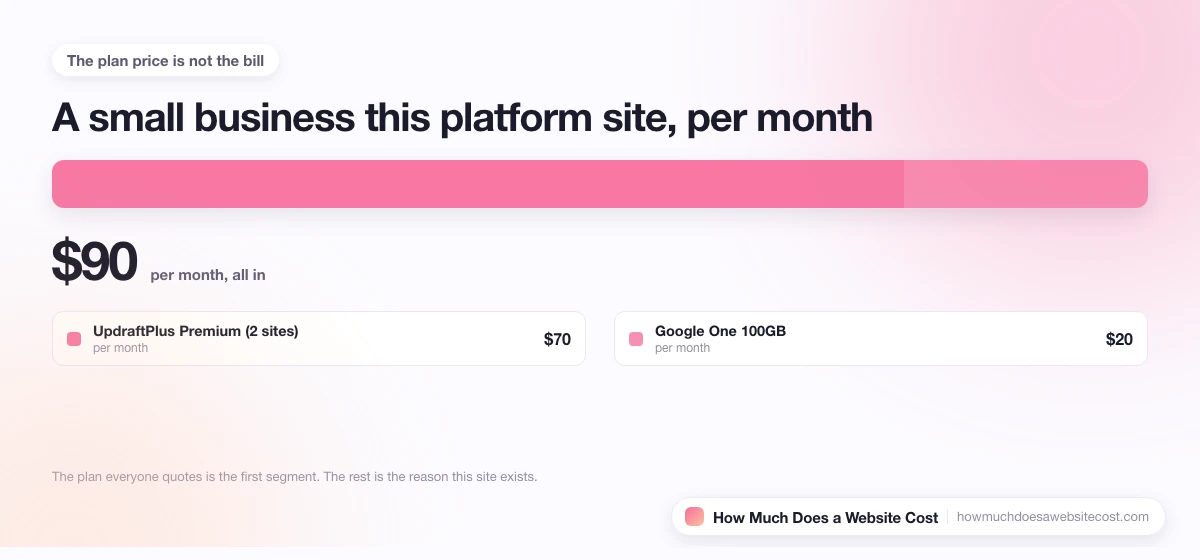
Example 2: Small Business Website
Setup: WordPress business site, daily backups, 20GB storage needs
| Item | Cost |
|---|---|
| UpdraftPlus Premium (2 sites) | $70/year |
| Google One 100GB | $20/year |
| Total Annual Cost | $90/year |
Example 3: WooCommerce Store
Setup: Active e-commerce site, real-time backups critical, 50GB data
| Item | Cost |
|---|---|
| BlogVault WooCommerce Plan | $349/year |
| Cloud storage included | $0 |
| Total Annual Cost | $349/year |
Example 4: Web Agency (10 Client Sites)
Setup: Multiple WordPress sites, white-label dashboard, centralized management
| Item | Cost |
|---|---|
| ManageWP ($2/site × 10) | $240/year |
| Backblaze B2 (500GB) | $36/year |
| CodeGuard Professional (backup redundancy) | $99/year |
| Total Annual Cost | $375/year |
How to Reduce Website Backup Costs
Use free plugins with external storage: UpdraftPlus Free with Google Drive provides enterprise-grade backup functionality at zero cost for sites under 15GB. This combination handles 90% of personal and small business backup needs without subscription fees.
Choose annual billing: Most backup services offer 20-40% discounts for annual payment versus monthly billing. BlogVault, for example, costs less per month when paid annually.
Optimize backup frequency: Daily backups suit most websites. Real-time backups, while beneficial for WooCommerce stores, cost 2-3x more. Match backup frequency to your actual update frequency.
Leverage hosting provider backups: Many hosts include basic daily backups free with higher-tier plans. SiteGround, A2 Hosting Turbo plans, and Cloudways include automated backups, reducing the need for third-party services.
Use incremental backups: Incremental backup technology only stores changes since the last backup, dramatically reducing storage costs for sites that update frequently. This feature alone can reduce storage needs by 60-80%.
Clean up before backing up: Exclude cache files, log files, and unnecessary data from backups. A leaner backup requires less storage and runs faster.
Is Website Backup Worth the Cost?
Website backup is worth the investment if you:
- Have any content you cannot afford to lose
- Run a business website or e-commerce store
- Update your site regularly with new content
- Use WordPress with multiple plugins (updates can break sites)
- Want peace of mind without manual backup procedures
- Need to meet compliance requirements for data retention
Consider free alternatives if you:
- Run a static site with rarely-changing content
- Have technical skills to perform manual backups
- Use a platform with built-in version history (Wix, Squarespace)
- Have minimal content that could be recreated quickly
- Are on an extremely tight budget
The average cost of website downtime ranges from $100 to $5,000+ per hour for business sites. A $50-$150 annual backup investment provides insurance against potentially catastrophic data loss from hacking, hosting failures, accidental deletion, or failed updates.